Service scope
Camera projects can be residential or commercial and can be planned alongside network wiring, racks, conduit and troubleshooting. The quote form collects property access and project scope so Unified Low Voltage Solutions can review the job directly.
What Unified Low Voltage Solutions provides
- Security camera system installation
- Camera cabling routes
- HikVision systems
- UNV systems
- Axis systems
- Avigilon systems
- Underground and above-ground conduit where needed
Plan the views before choosing equipment
List what each camera needs to show. An entrance, driveway, loading area and interior room pose different placement questions. Note the available mounting surface, the route back to the network and the lighting at the time you need to see the area. Review those details before selecting equipment or fixing a camera position. The plan should also identify any view you want to keep outside the camera's coverage.
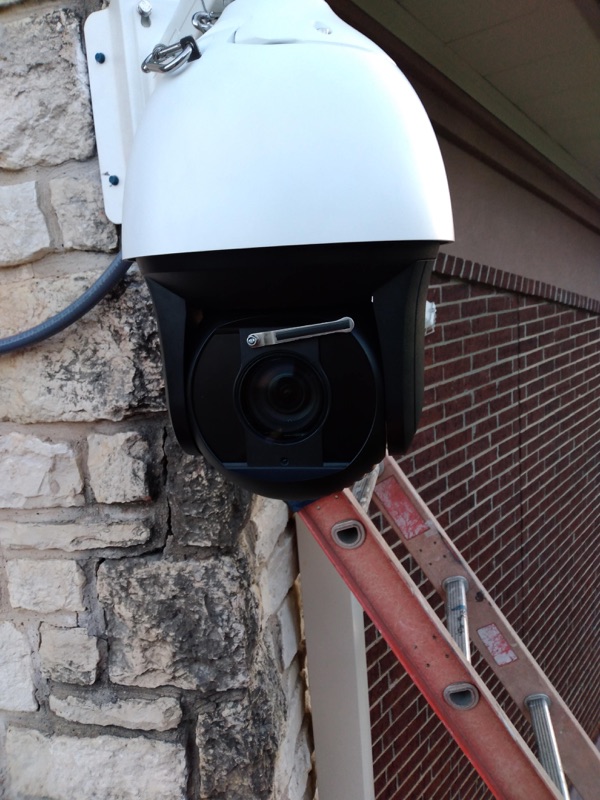
The installation list includes HikVision, UNV, Axis and Avigilon systems. Compare the specific equipment with your existing network and recording setup. The source service list also includes PoE cameras and color night-vision IP cameras. Ask which camera and lighting arrangement fits the location; a brand name alone does not establish what a camera will show after dark.
Home installations and business installations
For a house, start with the approach to the property and the areas you want to review. Discuss how a cable can reach an exterior mounting position without leaving the route or wall repair undecided. Include the network location and the way you expect to view recordings in the project description.
For a commercial space, identify entrances, shared areas and the people who can authorize camera positions. Coordinate access to occupied rooms and network closets with the property contact. Record which existing equipment must remain connected during installation. Put any required permissions, equipment changes and work outside normal access hours into the scope before scheduling.
From site walk to camera handover
- Site walk. Review the proposed views, mounting surfaces, light conditions and cable routes. Identify any exterior access or conduit work.
- Camera and drop plan. Mark each camera position and its cable destination. Confirm the selected equipment and the connections needed at the network end.
- Installation. Route and terminate the cabling, mount the agreed equipment and include any conduit specified for the job. Review position changes before making new openings.
- Testing. Specify checks for the installed views and connections in the quote. Request cable certification separately if your project requires a documented cable test.
- Labels and review. Match camera names to cable labels and the location plan. Agree on the equipment information and test records you will receive.
Cable selection belongs in the camera plan
Camera wiring uses the same route decisions as other network cabling. Cat5e and Cat6 are categories to discuss for compatible cameras; Cat6A may fit a broader network specification. Check the camera, network equipment and complete cable route together. Cat8 is a specialized short-link category, so the presence of cameras does not establish a need for it. Unified Low Voltage Solutions also lists Cat7 cabling; confirm why the chosen equipment needs that specification.
Ask which cable jacket and pathway suit each indoor or outdoor route. The company provides underground and above-ground conduit as part of its service list. Include wall penetrations and the finish work around them in the written installation scope.
Maintain the location and connection records
Keep a copy of the camera layout and the names used to identify each view. After landscaping, a room change or an equipment move, review whether the original view still covers the intended area. Before adding another camera, identify its cable route and network connection. For an existing system problem, describe whether the issue affects a camera view, a connection or the recording equipment so the troubleshooting request starts with a specific symptom.
Quote the access and equipment together
Camera equipment, mounting access, cable length, wall type and conduit affect the quote. An existing cable route needs review before it becomes part of a new installation plan. Every job is quoted individually. Request a written scope that identifies the cameras, cabling, tests, labels and any required finish repairs.
Questions about security camera installation
Do you run the wiring for security cameras?
Yes. Unified Low Voltage Solutions installs security camera systems and the cabling required for the installation.
Which camera brands do you install?
Unified Low Voltage Solutions installs HikVision, UNV, Axis and Avigilon, among other systems.
What should I include in a camera installation request?
Describe the areas you want to see, proposed mounting surfaces, existing camera equipment and the network location. Include photos and note any exterior access or conduit work.
Can camera installation include conduit?
Yes. Underground and above-ground conduit are on the service list. Include the proposed route, building entry points and access requirements when requesting a camera quote.
How is a camera project tested?
Agree on the view and connection checks in the written scope. If the cabling needs certification, specify the required cable test and report before installation.
Can I expand an existing camera system?
Request a review of the existing equipment, available connections and new cable routes. Identify the additional views you need so the quote can address the proposed expansion.