

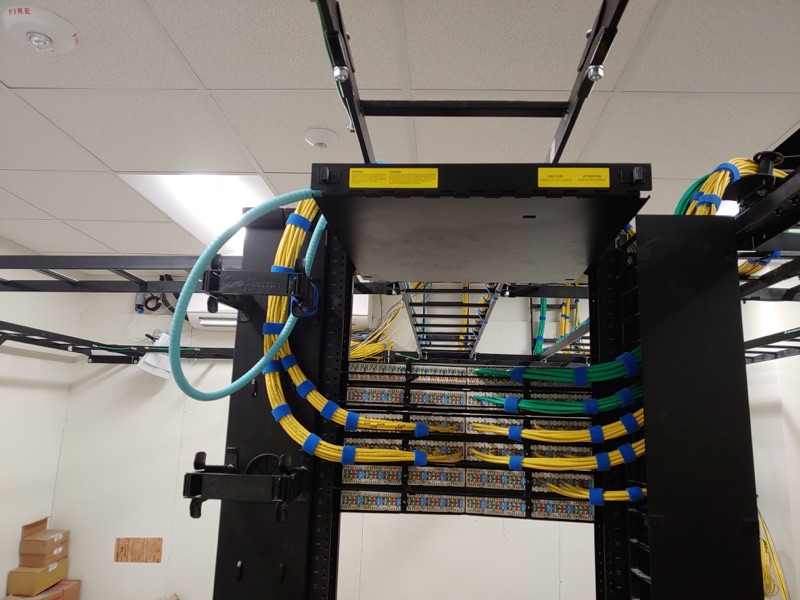
Service scope
Wireless access point work can include the structured cabling, racks and network troubleshooting needed to support the installation. Unified Low Voltage Solutions serves homes and commercial spaces across DFW.
What Unified Low Voltage Solutions provides
- Wireless access point installation
- Wireless access point configuration
- Ubiquiti systems
- HP systems
- Cisco systems
- Netgear systems
- Supporting Ethernet cabling and network troubleshooting
Describe where people need a connection
Mark the rooms and working areas where you need Wi-Fi, then identify where the existing network equipment sits. Include the places where a connection currently fails and describe what happens there. A specific room and symptom give the installation discussion more detail than a request for stronger Wi-Fi. The project may need a new cable route, equipment configuration or network troubleshooting.
Unified Low Voltage Solutions installs and configures Ubiquiti, HP, Cisco and Netgear wireless access points, among other systems. Send the model information for equipment you already own. Discuss compatibility with the existing network and how you expect to manage the installed access points. Brand selection and placement belong in the same project discussion.
Homes and commercial Wi-Fi projects
For a home, identify the rooms, floors and devices that need a connection. Note where the router and incoming service are located, and explain which surfaces you want to keep clear of visible cabling. Retrofit access and small finish repairs can form part of the cabling scope.
For a business, describe the rooms people use, the equipment that depends on the network and any visitor access requirements. Identify the person who can authorize network changes. Include building access and occupied work areas when planning cable routes. Agree on the configuration scope and any connection interruption before installation begins.
Plan the access-point drops
- Site walk. Review the intended coverage areas, current equipment and possible mounting locations. Identify the available cable routes and access restrictions.
- Drop and placement plan. Mark each proposed access point and its network connection. Confirm equipment, materials and configuration requirements together.
- Installation. Run the agreed cabling, install the equipment and complete the specified configuration. Review route or position changes before making new openings.
- Testing. Agree on connection checks in the intended use areas. Specify cable certification separately if a documented cable report is required for the project.
- Labels and handover. Match device names to cable and panel labels. Keep the equipment list, location plan and agreed test records with your network information.
Choose the Ethernet cable for the equipment
Access-point installation can include supporting structured cabling. Cat5e may fit compatible existing devices, while Cat6 is a common option for home and office drops. Cat6A may fit equipment or a network design with a higher cable specification. Cat8 is intended for specialized short equipment connections, so ask what requirement it would meet before choosing it for room-to-room runs.
The company's cabling list also includes Cat7. Confirm the equipment connections and the complete cable route when choosing materials. Include jacks, patch panels and patch cords in that discussion. A cable-category change alone does not establish the cause of a Wi-Fi problem; placement, configuration and the existing network still need review.
Smart home device installation
The service list includes smart home device installation for Ring, Nest and Ecobee, among other systems. Include the device model, intended location and existing connections in your request. When a project includes both access points and smart home devices, identify the installation and configuration work for each device in the quote. Agree on the equipment requirements before scheduling, including any work that falls outside the cabling and device installation scope.
Keep records for moves and expansion
Retain the device names, cable labels and placement plan. If you move furniture, change the room layout or add equipment, note where the new connection problem occurs. Before adding an access point, review the available cable route and its connection at the rack or network location. Network troubleshooting can be scoped alongside additional drops. Describe the current symptom and the equipment involved when requesting that work.
What affects an access-point quote
Equipment, mounting access, wall type, ceiling access, cable length and configuration requirements affect the quote. An existing cable needs review before you plan to reuse it. Every project is quoted individually. Ask for the selected equipment, cable work, testing, labels and any finish repairs in writing.
Questions about wireless access points
Which wireless access point brands do you install?
Unified Low Voltage Solutions installs Ubiquiti, HP, Cisco and Netgear, among other systems.
Can you run cabling for wireless access points?
Yes. Unified Low Voltage Solutions provides wireless access point installation and configuration together with structured cabling and network troubleshooting services.
Can you install smart home devices alongside Wi-Fi work?
Yes. Smart home device installation is on the service list, including Ring, Nest and Ecobee. Include the device models and agree on installation and configuration requirements in the quote.
What should I send for a Wi-Fi installation quote?
Describe the rooms that need a connection, existing equipment, current connection problems and possible cable access. Send device model information and photos of the network location.
Does access-point installation include cable certification?
Agree on the connection checks in the intended use areas. Specify any cable certification test and report in the written quote before installation.
What affects the cost of adding an access point?
Equipment, mounting access, wall type, ceiling access, cable length and configuration affect the quote. Every project is quoted individually. Include testing, labeling and finish repairs in the written scope.